0%

Discover What Makes Us Different.

We stay ahead of evolving threats by continuously innovating to strengthen, optimize, and future-proof your M365 security posture.

01

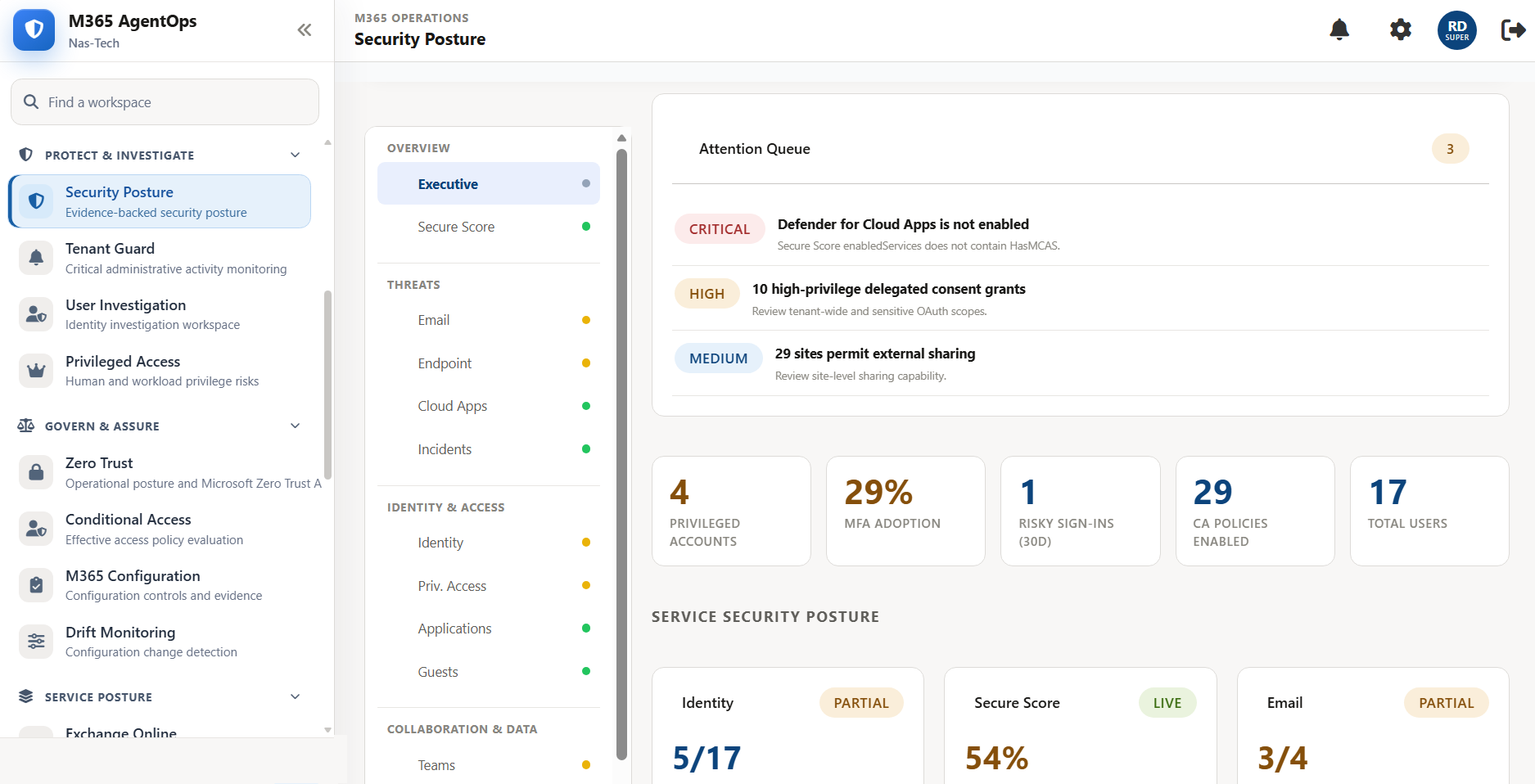
Tenant Gaurd

Continuous monitoring of high-priority administrative changes and tenant-impacting attack patterns

02

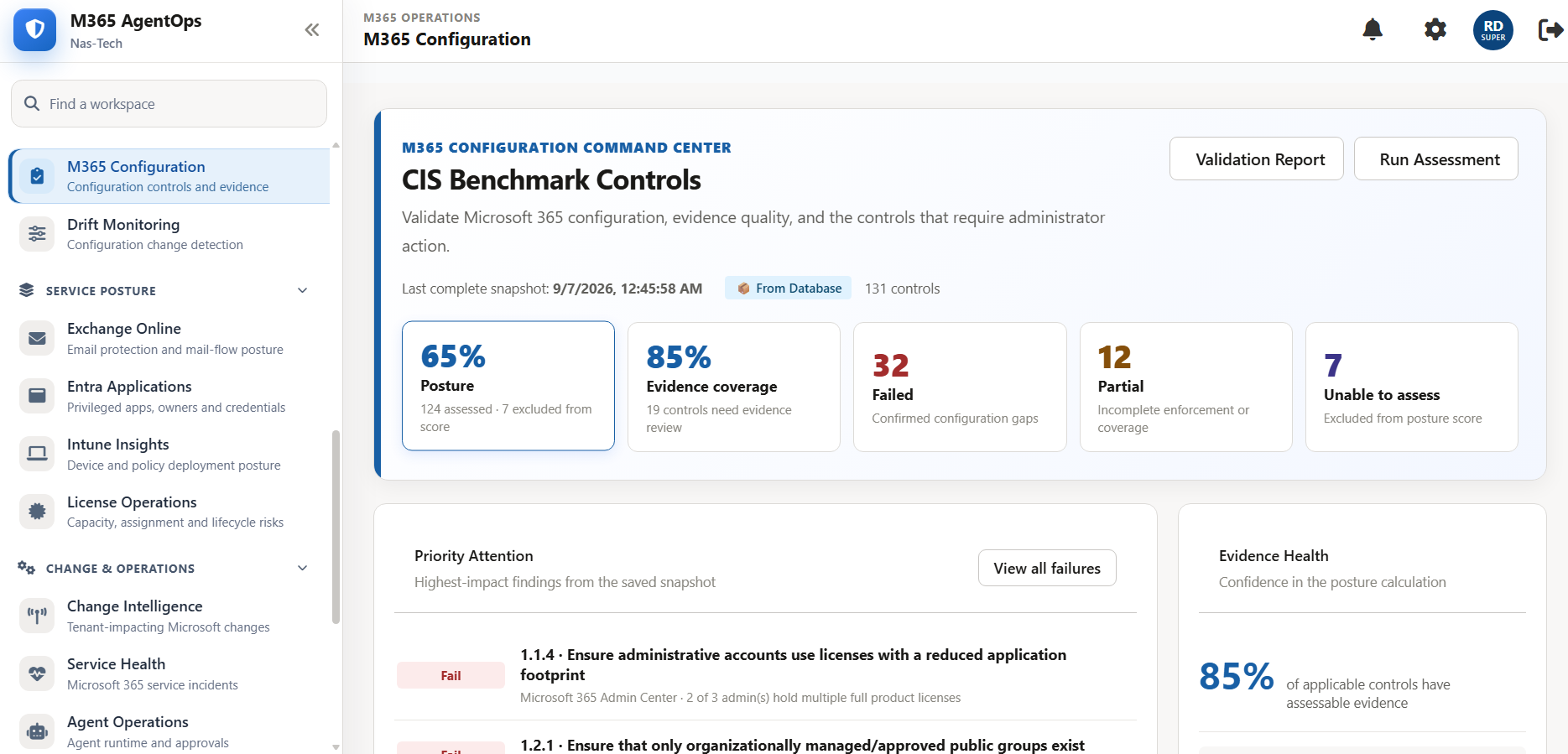
CIS Benchmark

Validate M365 configuration, evidence quality, and the controls that require administrator action.

03

Privileged Access

Investigate standing access, PIM eligibility, emergency identities, privileged workloads and activity.

04

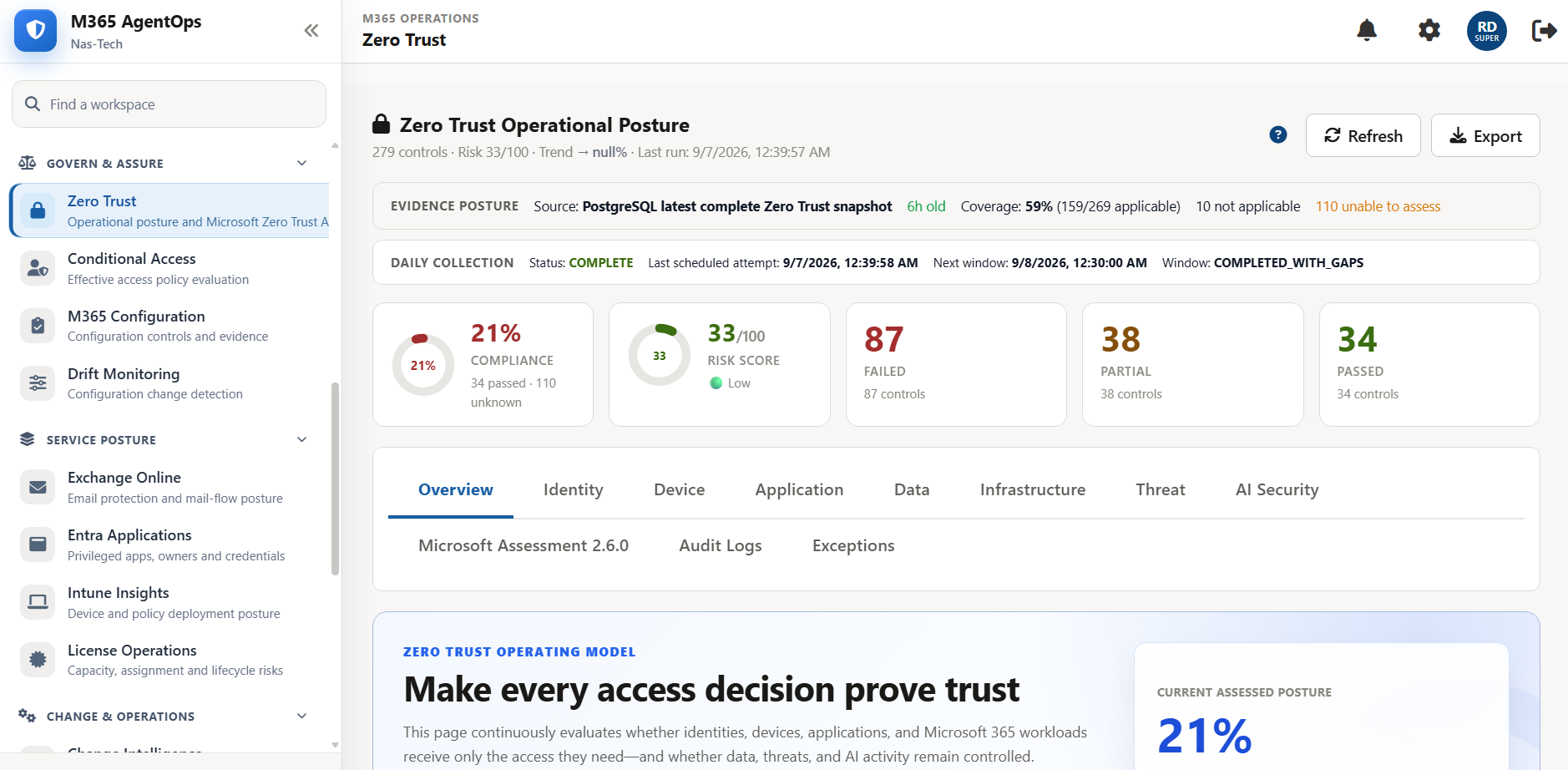
Zero Trust Posture

Operationalize Zero Trust principles by continuously assessing, validating, and strengthening security posture.

05

Config Backup

M365 Policies, settings, assignments, memberships and tenant configuration backup.

06

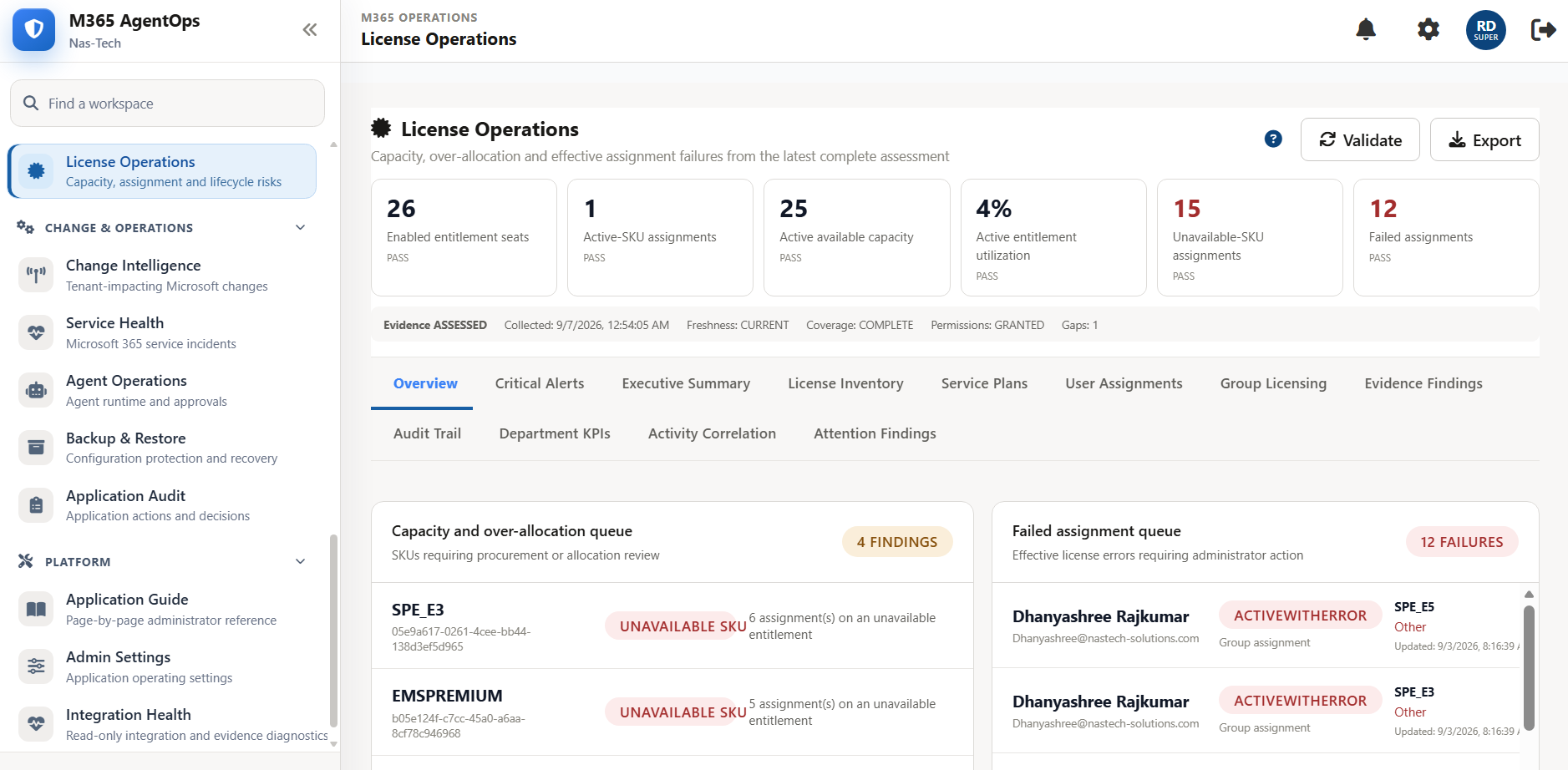
License Monitor

Authoritative license assessment and reporting, so spend and entitlements stay visible.

07

Self-Service Portal

Users request access, services, licenses, and workspace changes through one governed workflow.

08

Premium Features

CA Baseline, Application Security, License Operations, Drift Monitoring, Major Announcements Intelligence.

Any Doubt Question & Contact Us Any Time!

What can you do with ZeroTrustOne?

Understand your Tenant

Explore users, groups, applications, and managed devices to understand your Microsoft 365 environment.

Learn More

Review Security Findings

Review collected assessment results and supporting evidence to identify issues that need attention.

Learn More

Manage Service Requests

Submit, approve, and track supported Microsoft 365 Self-Service requests according to your assigned role.

Learn More

Backup Tenant Configuration

Protect your Tenant with modern Configuration backup for a better resilience, and compliance support.

Learn More
Can’t see your favorite feature? Let us know Contact With Us.

Built for the people managing and using Microsoft 365

We pride ourselves staying front of innovation, constantly Shaping the M365 Security and operations boundaries a redefining.

Security Teams

Review security findings and available evidence to prioritize investigation and remediation

  • TenantGuard Security
  • Zero Trust Posture
  • Application Security
  • User Investigation
  • Privileged Access Monitor
  • Conditional Access Policies
  • CIS Benchmark Automation
Security Teams

IT Administrators

Explore tenant inventory, investigate configuration issues, and manage supported operational requests

  • CIS Benchmark
  • Tenant Guard
  • Configuration Backup
  • Reduced Tickets
  • Inventory Intelligence
IT Administrators

Employees

Request the services your organization makes available and track progress in one place.

  • License Planning
  • License Distribution
  • License Compliance
  • License Cleanup
  • Expiration Alert
  • Monthly Joiner / Leaver
Employees

Compliance Reviewers

Review assessment results and supporting evidence to inform your organization’s compliance reviews.

  • CIS Benchmark
  • Zero Trust Operations
  • Change Intelligence
  • Drift Detection
  • Conditional Access Reporting
Compliance Reviewers

Upgrade Microsoft 365 administration experience

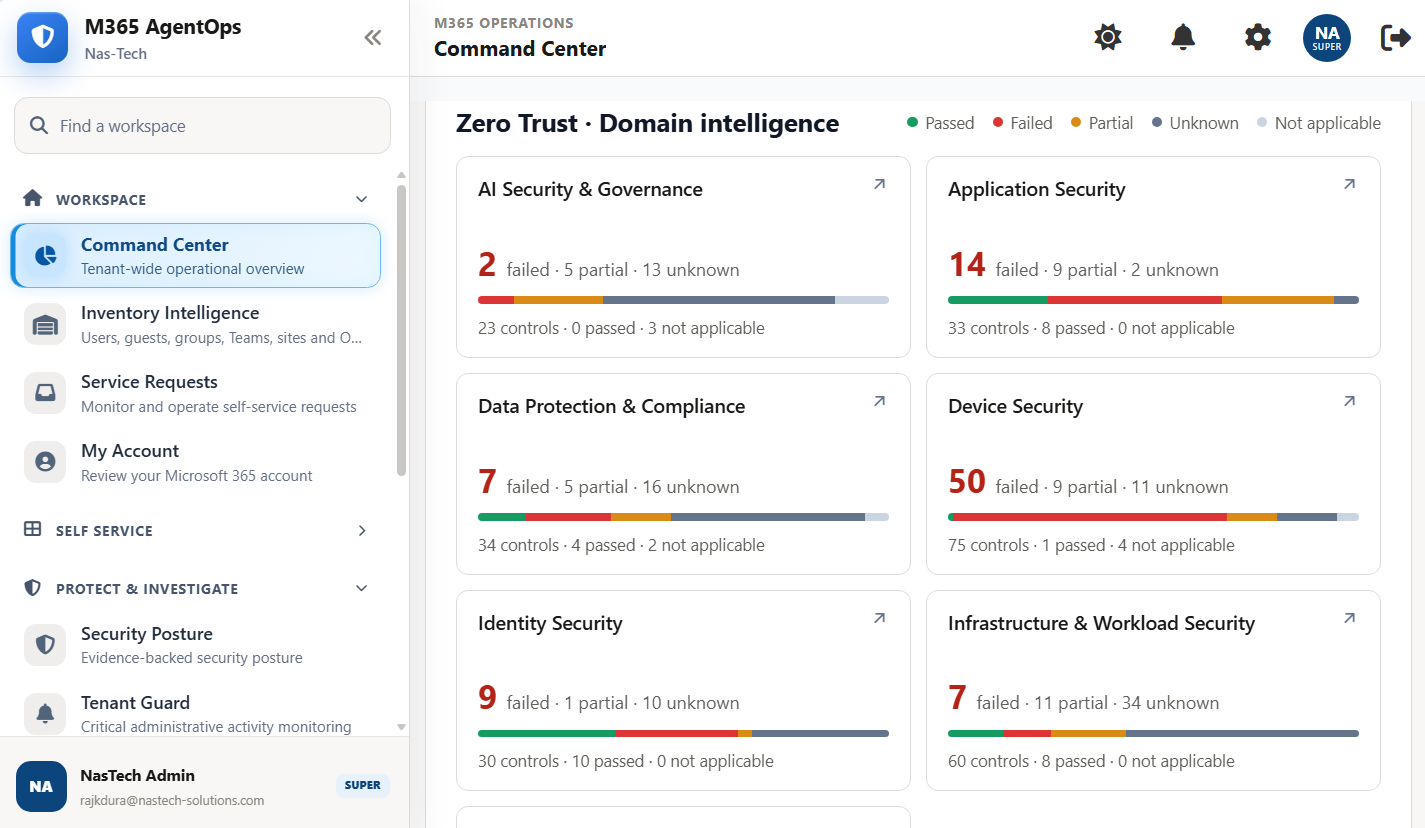
Our Unified Command Center consolidates critical alerts and continuous posture tracking turned into a single evidence-backed queue. Routine tasks shift to guided self-service, investigations become search-driven, and administration moves from reactive log-digging to correlated.

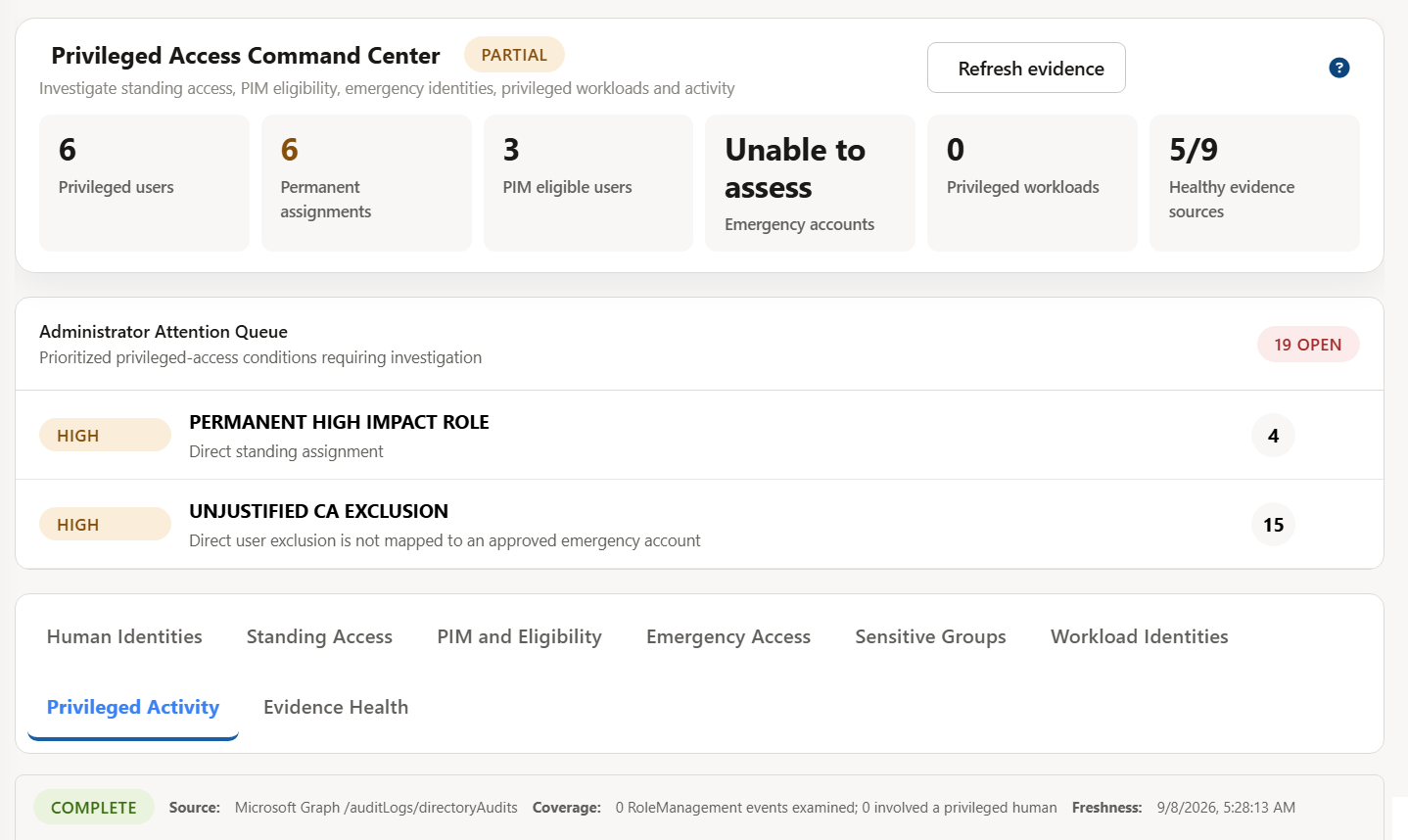
Privileged Access Monitor

A unified hub that correlates standing privileges, PIM assignments, break-glass accounts, and administrative activity. Instead of cross-referencing separate consoles, it links who has access with what they did and automatically flagging over privileged accounts and privilege misuse as actionable findings
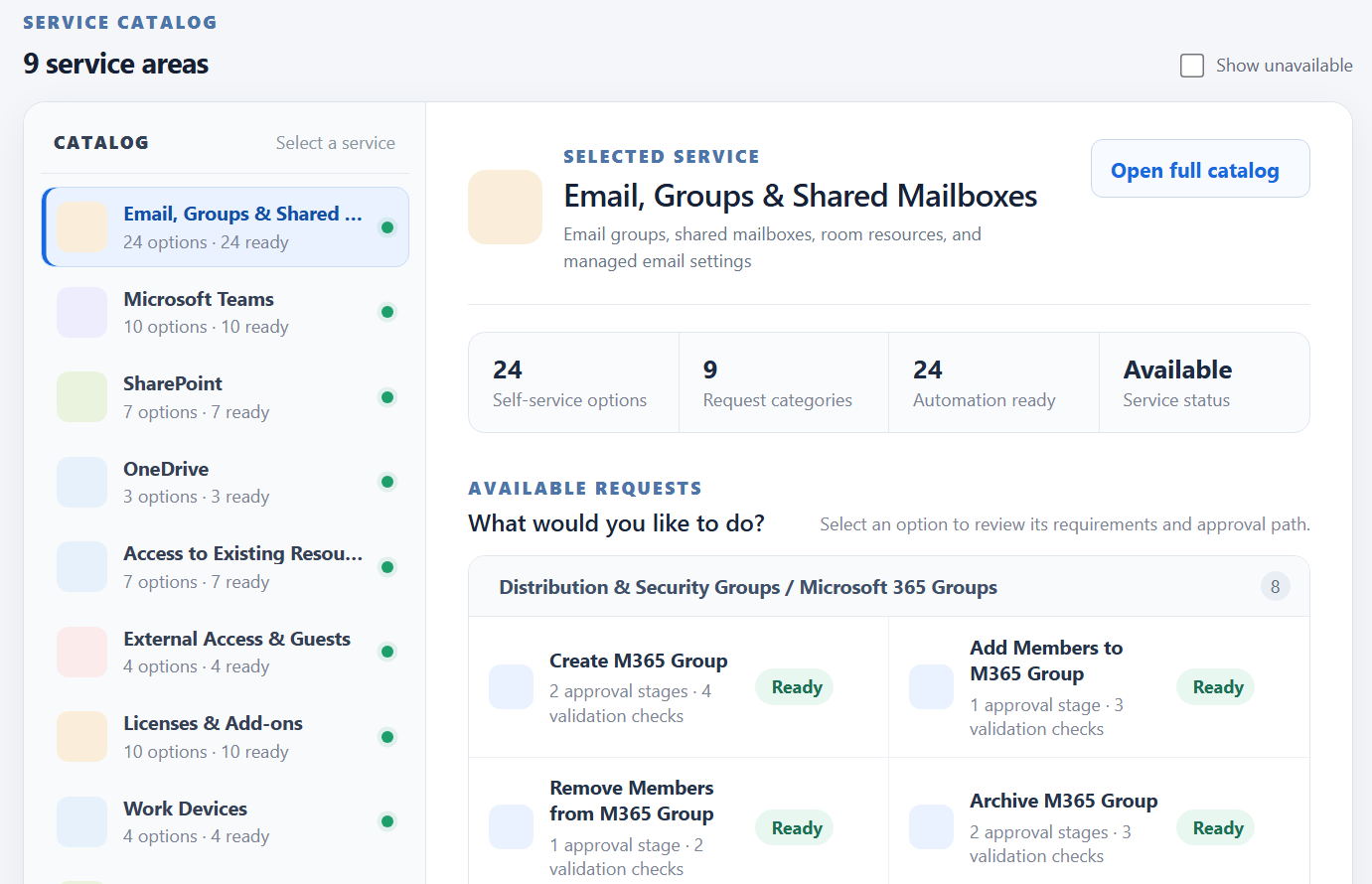
Self-Service Portal

End users and admins handle routine Microsoft 365 requests themselves through guided templates rather than opening a ticket or asking IT/security to do it manually. Leads to fewer tickets escalated to IT, faster turnaround for the requester, and still a full validation/approval/audit behind every action.

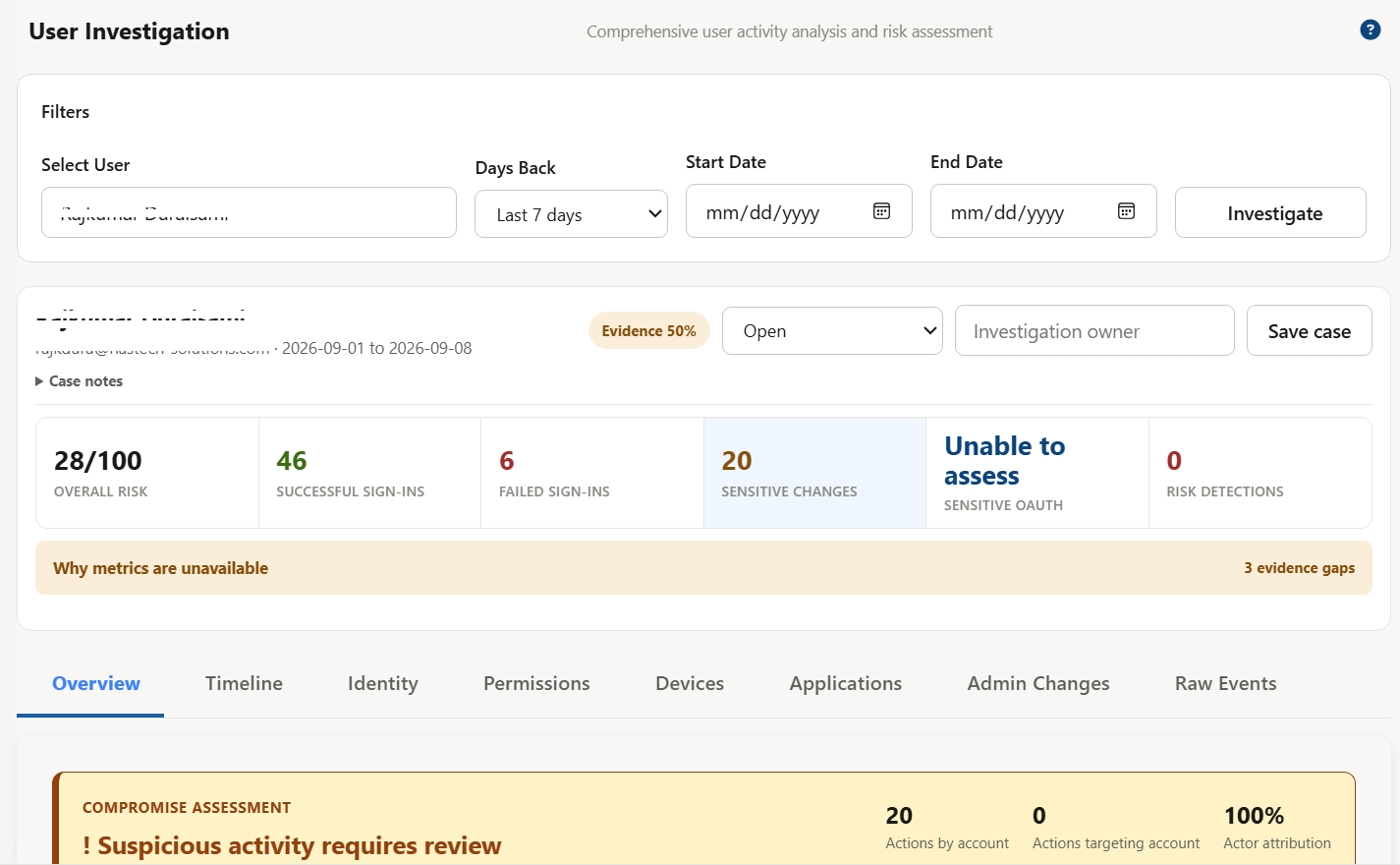
User Investigation

Comprehensive user activity analysis and risk assessment. Investigate user activity, assess risk factors, view sign-in locations, and analyze authentication patterns to identify suspicious behavior.

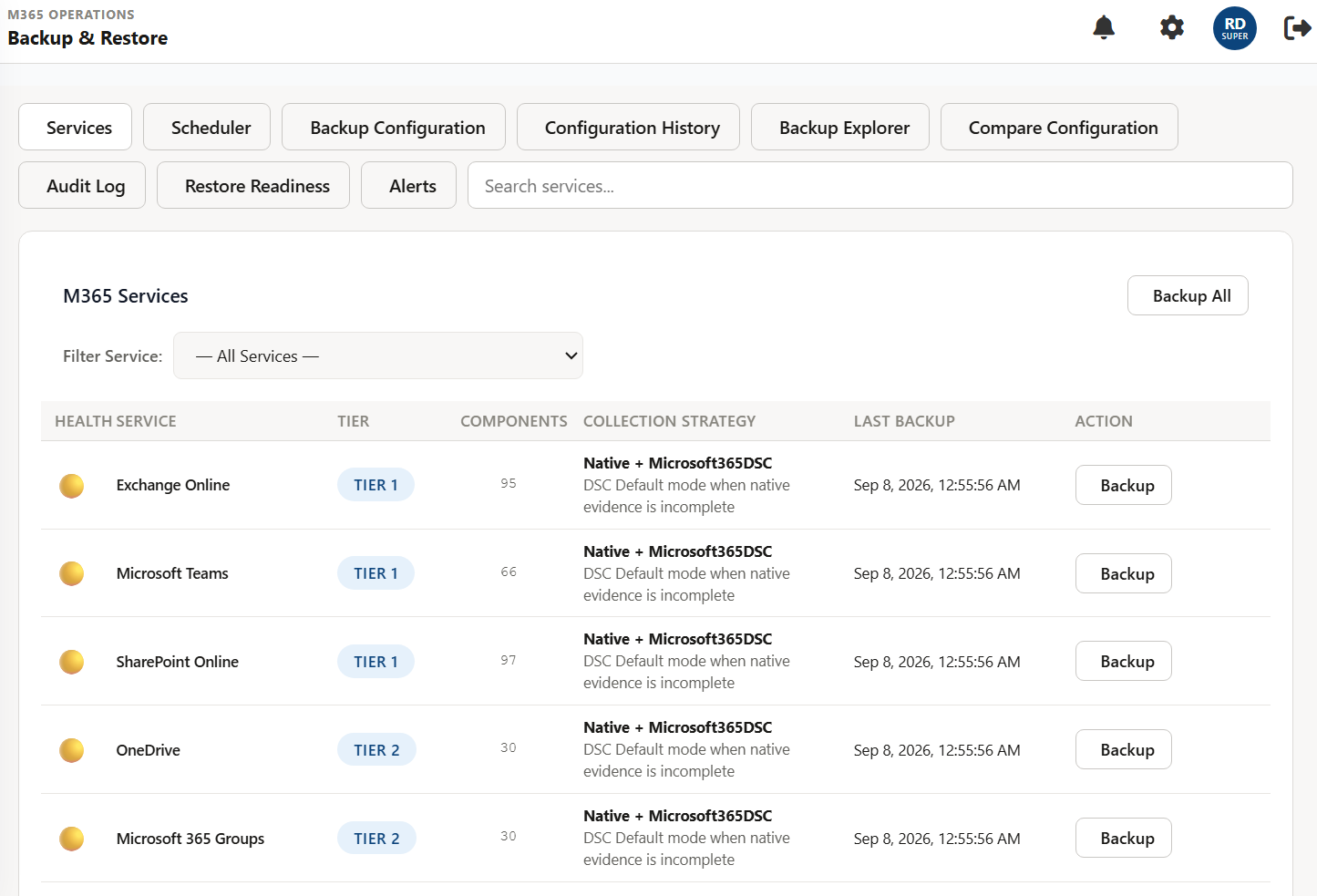
Configuration Backup

Captures the settings, policies, rules, role assignments, and group memberships that define how your tenant is configured. Snapshots are recorded as signed manifests combining immutable JSON and Microsoft365DSC artifacts, with each snapshot showing its inventory status, source, coverage, record count, and collection timestamp.

100

+

Unified Security Dashboard

30+

Focus

Identity, Devices & Access

100

%

Focused on Zero Trust

360

°

Security Posture Visibility

Integrates with Your Microsoft 365 Ecosystem

Bring your Microsoft 365 services together to monitor security, manage configurations, and assess compliance all from one centralized platform.

Entra ID
Intune
Defender for Office 365
Exchange Online
SharePoint

Choose the Plan That Fits Your Needs .

Starter and Business includes a Year of updates & standard support

Starter

Essential Microsoft 365 security visibility and compliance assessments for small teams. Covers one tenant and up to 100 users

$999 / Yearly

$ 999 / Yearly

Purchase Plan

What's Included:

  • shape-12 1 Microsoft 365 tenant
  • shape-12 Up to 100 users
  • shape-12 Unified security dashboard
  • shape-12 Security configuration reviews
  • shape-12 Compliance assessments
  • shape-12 Actionable security recommendations
  • shape-12 Perpetual license for the purchased version
  • shape-12 12 months of updates and standard support
Popular

Business

Centralized security insights, configuration reviews, and compliance assessments for growing organizations. Covers one tenant and up to 1000 users

$2499 / Yearly

$2499 / Yearly

Purchase Plan

What's Included:

  • Hero Shape 7 Everything in Starter, plus:
  • Hero Shape 7 Increased capacity of up to 1000 users
  • Hero Shape 7 Guided onboarding and initial configuration
  • Hero Shape 7 Initial security findings walkthrough

Enterprise

Flexible licensing for larger organizations with multiple tenants or custom requirements. Scope, implementation, and support tailored to your needs.

Custom / Call US

Custom / Call US

Purchase Plan

What's Included:

  • pricing-list-icon Custom user and tenant limits
  • pricing-list-icon Security and compliance assessments
  • pricing-list-icon Deployment and onboarding assistance
  • pricing-list-icon Configuration tailored to agreed requirements
  • pricing-list-icon Administrator training and handover
  • pricing-list-icon Custom reporting requirements, scoped separately
  • pricing-list-icon Support terms and updates defined in your agreement

Need Help? Quick Answers Common Questions

Find quick answers to common questions about ZeroTrustOne from getting started and connecting Microsoft 365 to understanding security insights and compliance assessments

Contact With Us

Required permissions depend on the features your organization enables. Your Microsoft 365 administrator should review the permissions described in the deployment guide before granting consent.

Depending on the enabled features, the application uses Microsoft 365 inventory, configuration, and assessment information. Consult the deployment documentation and privacy notice for details about storage, retention, and access.

Approval actions depend on the user’s assigned role and the workflow configured for the request. Requesters can follow the status of their supported requests in the application.

Assessment findings help administrators review issues and decide what action to take. Consult the relevant feature guide for supported actions and any approval requirements.

Start with the customer guide for onboarding, everyday tasks, and troubleshooting. Contact support if you need help resolving an issue.

Visit the customer guide for installation instructions, everyday tasks, and troubleshooting. For additional help, contact our support team with a description of the issue and any relevant error message. Do not include passwords, access tokens, or other secrets

No posts found.

Get Start For Our Newest Our Newsletter !